
The Hayward LTSUY11300 Smart Power Transformer is a 300W low voltage zoned transformer for use with low voltage pool lights. It features 4 low voltage output connections and communicates with The Attendant to control 4 separate zones. These transformers will only work with Low Voltage lights from Hayward.
When deciding the number of lights to connect to the transformer, note that the maximum power output to the 4 zones should not exceed 80% of the maximum wattage of the Smart Power Transformer (300W). In addition, the load from the lights on each individual zone should not exceed 75W. Refer to your lights manual for wattage information.
Wiring requirements can vary based on the specific lights being used. Always consult the installation manual that came with your lights for proper wiring instructions and safety information. This guide does not replace the manufacturer’s recommendations.
Wiring
Ensure power is turned off to both the Smart Power Transformer and The Attendant before beginning any wiring. Connect the black, yellow, and green wires from the transformer’s RS-485 port to a BUS terminal on The Attendant. Connect black to D+, yellow to D-, and green to GND. Do not connect the red wire—it is not used. Refer to the wiring diagram below for additional guidance. Once all connections are properly secured, restore power to both devices.

After you’ve completed the physical wiring connections from the Smart Power Transformer to The Attendant, it’s time to configure lights in the Poolside Mobile App! Please ensure power is energized to both devices for 5 minutes before programming.
Programming
Adding a Light Device in Installer Mode
- Enter Installer Mode, then navigate to the Devices tab.
- Tap the blue + button at the bottom of the screen.
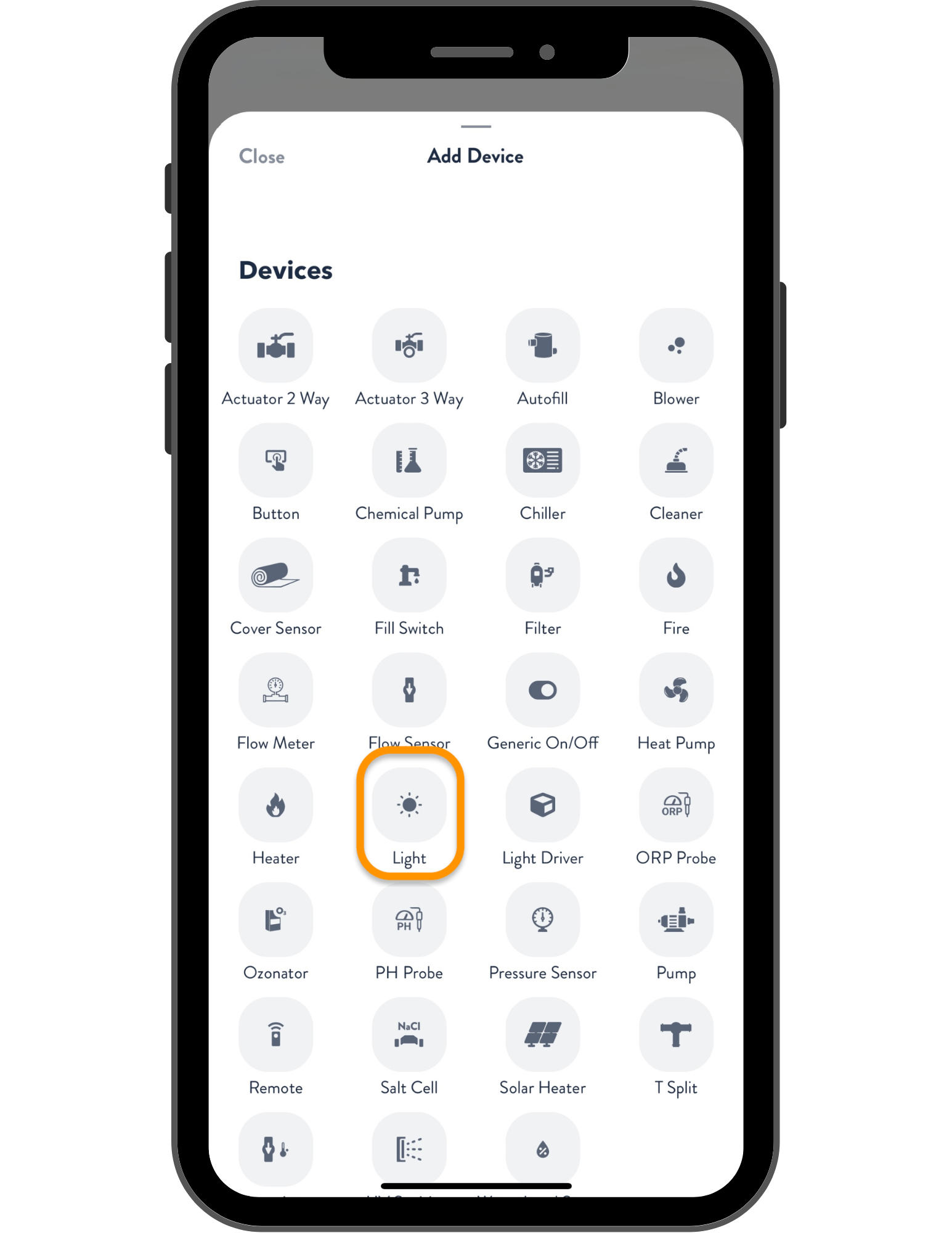
- On the Add Device screen, select Light.
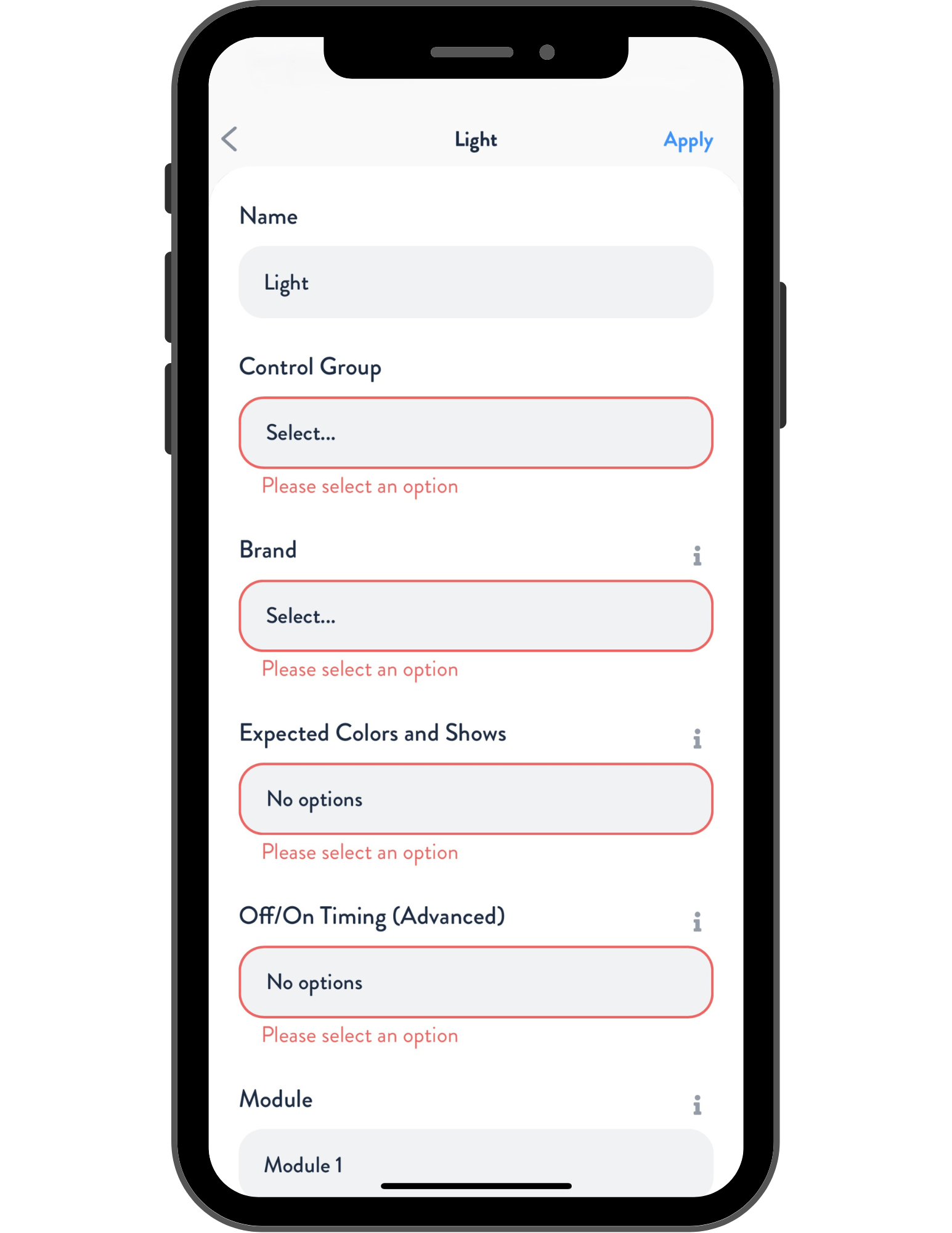
In the light setup menu:
- Assign a name to the light and select the appropriate control group.
- Choose the light brand (Hayward)
- Set the expected colors and shows, along with the On/Off timing.
Next:
- Under Module, tap the gray box to open the available devices.
- Select the correct Module with the matching HUA. Each Smart Power Transformer has a unique HUA. If only one transformer is installed, simply select the only one from the list.
- Module 1 is The Attendant
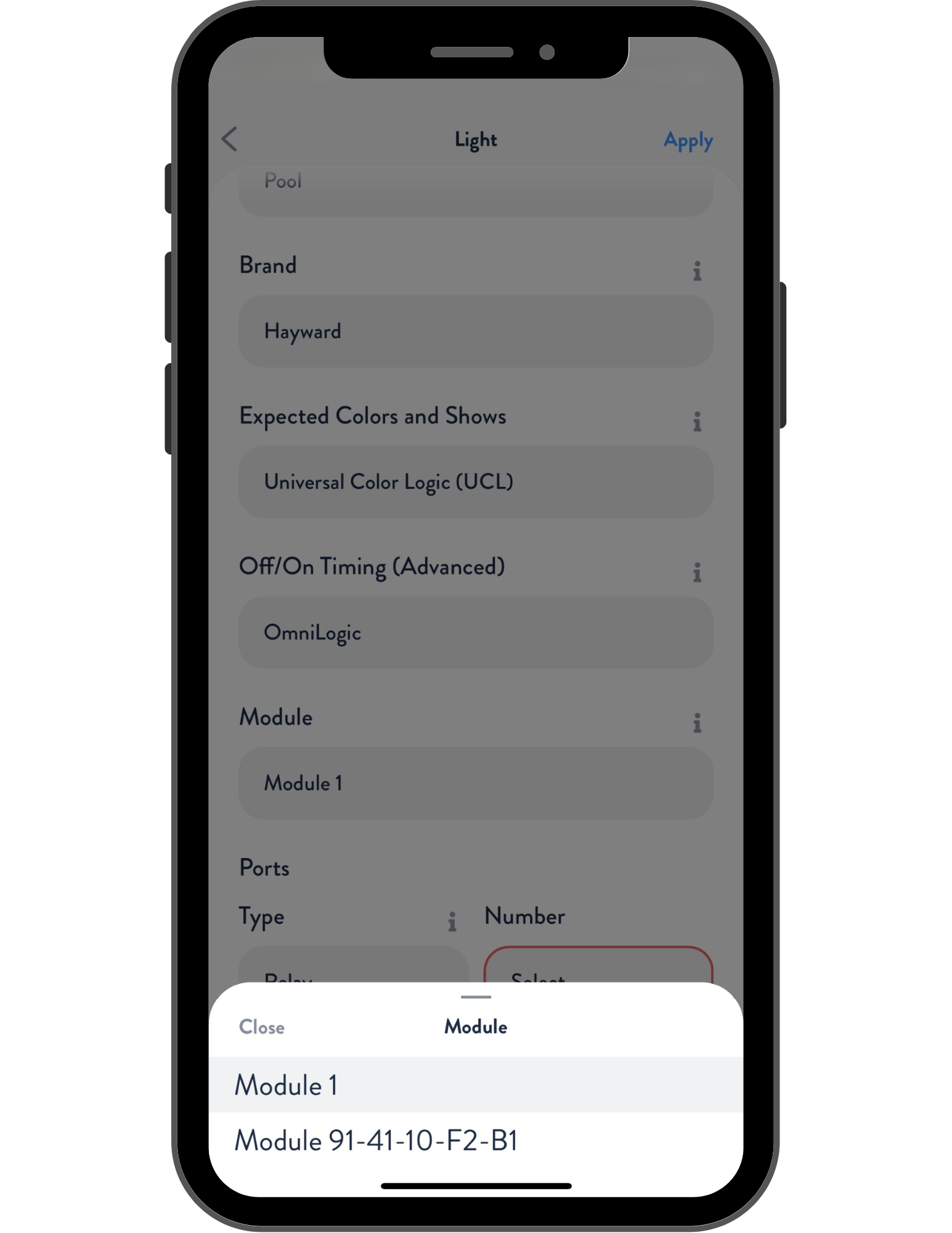
Select the appropriate Port number (Zone) on the transformer that corresponds to the lights being programmed. Example: Port 1 = Zone 1.

Tap Apply in the top right corner when finished.
Repeat this process for each zone in use.
Press Save when configuration is complete.
Congratulations! You have successfully programmed your Smart Power Transformer and can now use your lights!