Heat Only Models
- Connect a two-wire 22AWG conductor cable to the POOL/SPA T-STAT terminal on the GulfStream board on the heat pump.
- Connect the other end of the cable to an open heater port on The Attendant.

Turn the power back on to the heat pump once the wiring is complete.
Enable “Remote TSTAT” mode on the heat pump:
- On the heat pump, press and hold the Up and Down arrows at the same time until “Option 1” appears on the display.
- Release the arrow buttons and press “Mode” repeatedly to toggle through options.
- Press “Mode” until “REMOTE TSTAT” is displayed. By default, this option is disabled.
- Press the Up or Down arrows to display “Enabled.”
- Press “Mode” to save your changes. After approximately 20 seconds, the display should return to normal.
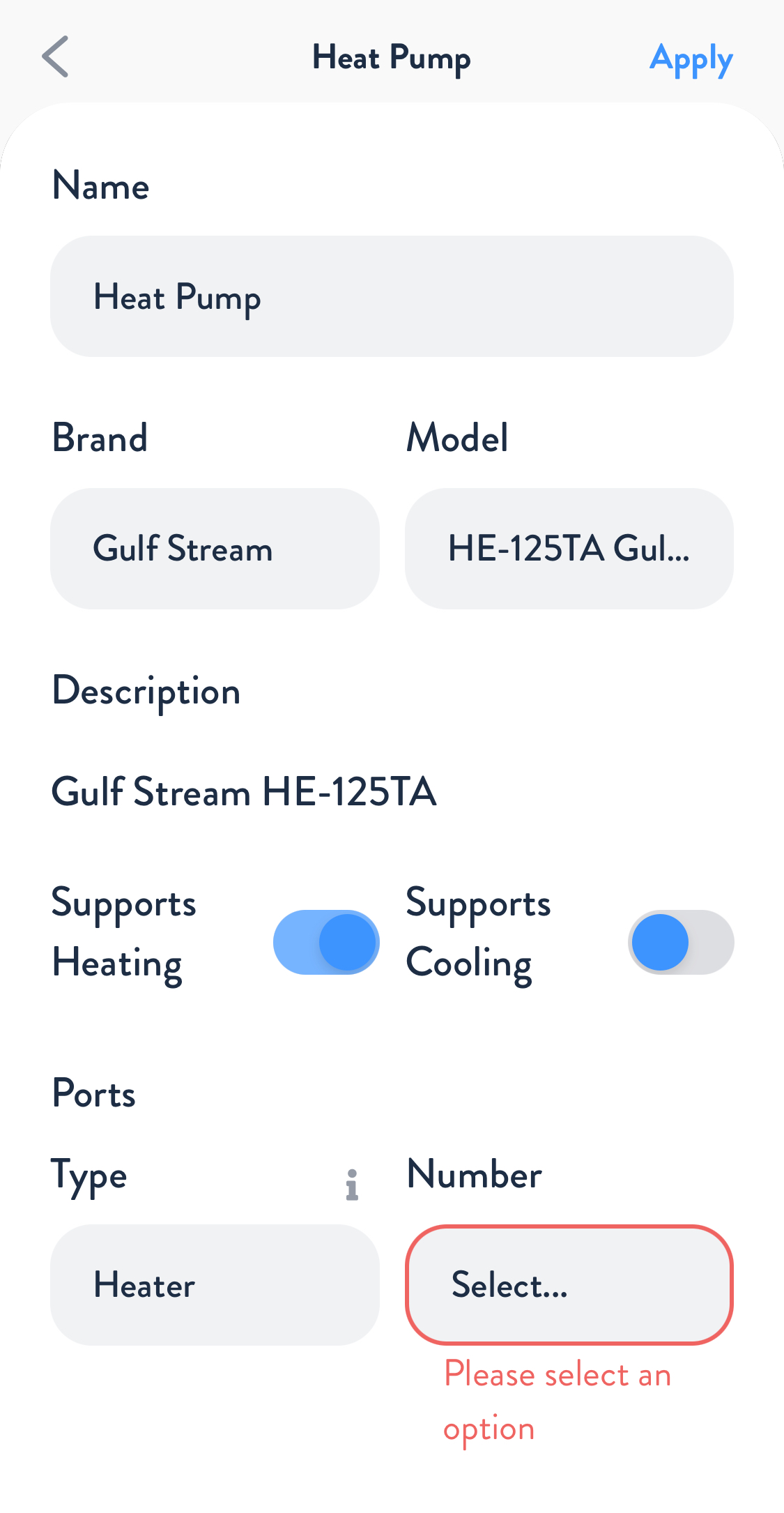
Using the Poolside mobile app, add or edit a Heat Pump device in Installer Mode:
- Brand: GulfStream
- Model: Select the correct model
- Check the box labeled “Supports Heating.”
- In the “Ports” section, select “Heater” as the port type and the Heater port number where you wired the POOL/SPA terminal wires.
- Press “Apply” and then “Save.”
Heat/Cool Models
- Attach a two-wire 22AWG conductor cable from the POOL/SPA T-STAT terminal on the GulfStream board to an available heater port on The Attendant. This will serve as your HEAT wire connection.
- Next, connect a second two-wire 22AWG conductor cable from the HEAT/COOL terminals on the GulfStream board to another available heater port on The Attendant. This will serve as your COOL wire connection.

Turn the power back on to the heat pump once the wiring is complete.
Enable “Remote TSTAT,” “Remote Heat/Cool,” and “Pool Cool” mode on the heat pump:
- On the heat pump, press and hold the Up and Down arrows at the same time until “Option 1” appears on the display.
- Release the arrow buttons and press “Mode” repeatedly to toggle through options.
- Press “Mode” until “REMOTE TSTAT” is displayed. By default, this option is disabled.
- Press the Up or Down arrows to display “Enabled.”
- Repeat the same steps to also enable “REMOTE HEAT/COOL” and “POOL COOL.”
- Press “Mode” to save your changes. After approximately 20 seconds, the display should return to normal.
- On the heat pump board, exit the sub-menu and ensure the heat pump is in Pool Cool Mode. Set the chilling temperature setpoint using the up/down arrows.
- Turn off power to the heat pump for 2 minutes to save the settings, then turn it back on and set it to Pool Heat Mode.
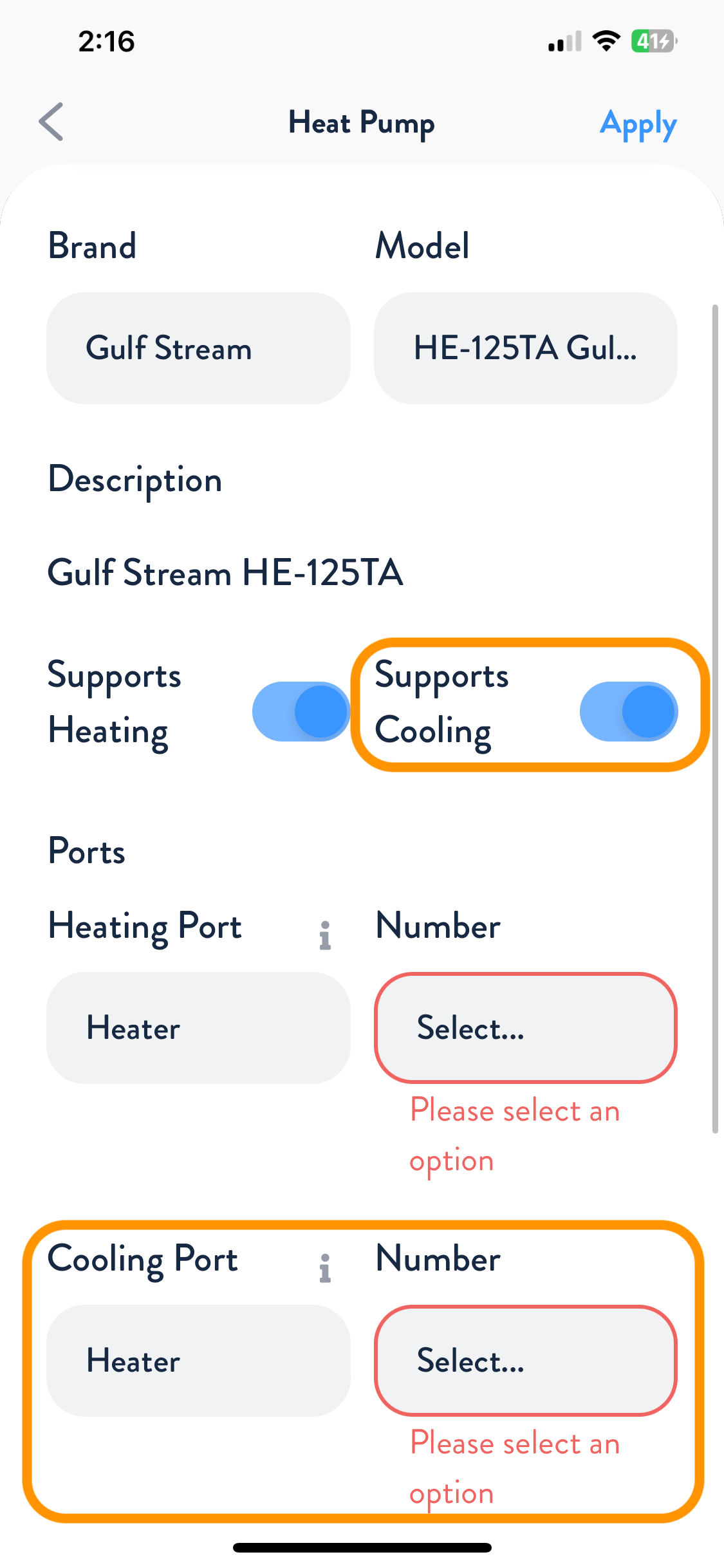
Using the Poolside mobile app, add or edit a Heat Pump device in Installer Mode:
- Brand: GulfStream
- Model: Select the correct model
- Check the boxes labeled “Supports Heating” and “Supports Cooling.”
- In the “Ports” section, select “Heater” as the port type and the corresponding Heater port numbers you wired for both the POOL/SPA terminal (heat) and the HEAT/COOL terminal (cool) wires.
- Press “Apply” and then “Save.”